Approved Repository Boundaries
Connect only the repositories you explicitly approve. Secure Git Bridge keeps AI access within defined boundaries.

A safer bridge
for a more open tomorrow.
Trusted connectivity. Safer AI development.
Secure Git Bridge connects AI assistants to your approved local Git repositories with protected-file blocking, read-only code access, and human-reviewed patch proposals.
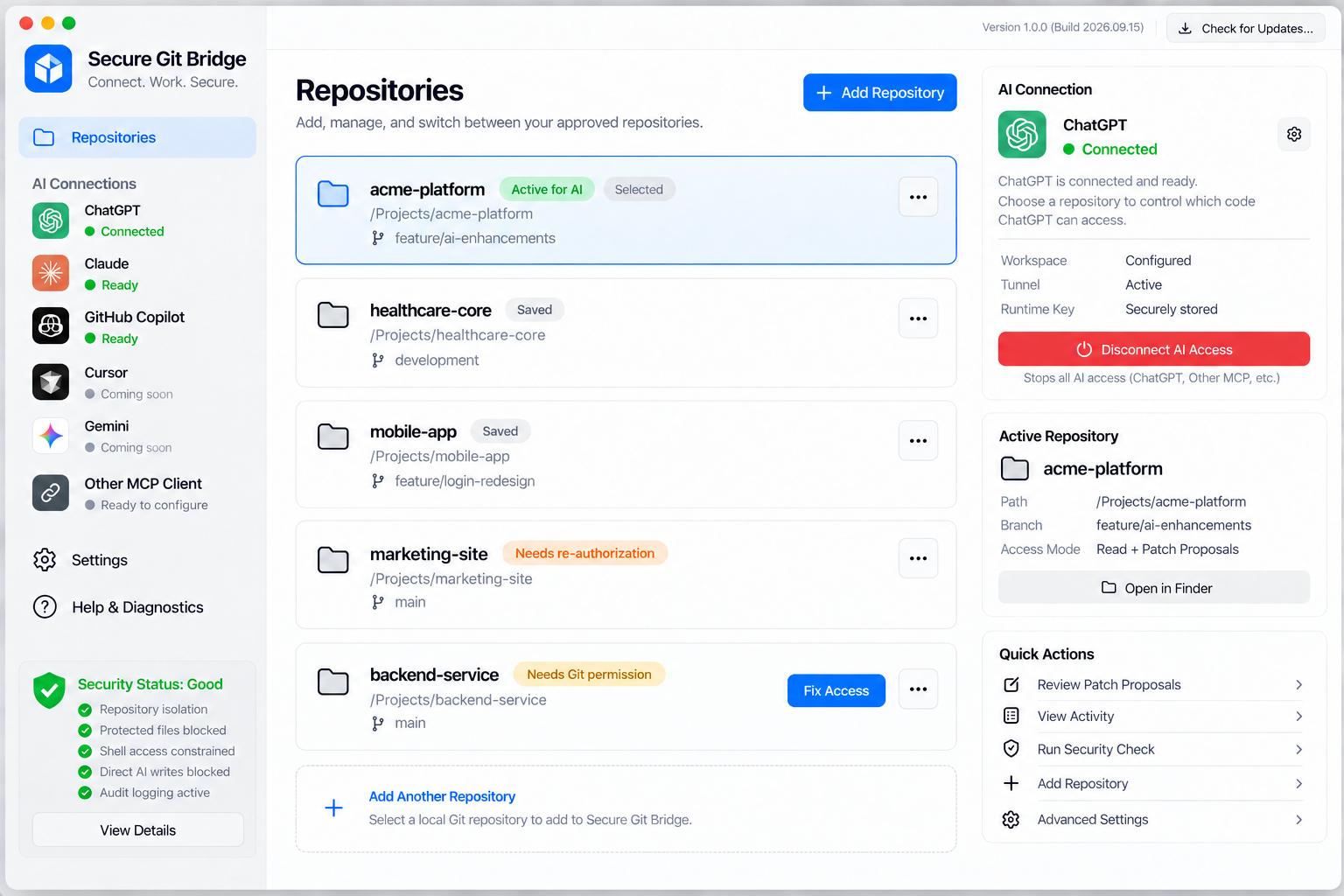
One secure bridge. Multiple AI assistants. Connect the AI tools you choose while keeping repository access explicit and isolated.
Connect only the repositories you explicitly approve. Secure Git Bridge keeps AI access within defined boundaries.
Sensitive files such as environment files, keys, and credentials can be blocked from AI access.
AI can propose changes, but you review and approve patches before anything is applied.
See AI access, file reads, security decisions, and patch proposals from one local interface.
Runs on your machine. You stay in control of your data, repositories, and access rules.
Manage multiple repositories and AI connections with isolated permissions and settings.
Simple by design
Get from install to secure AI-assisted development in minutes.
Select and approve the local Git repositories you want to make available to AI assistants.
Secure Git Bridge applies security rules, blocks protected files, and confirms each access boundary.
Your AI assistant reads approved code and proposes changes. You review patches before anything is applied.
Secure Git Bridge keeps your code, your machine, and your trust protected.
Local-firstRuns on your machine.
No broad filesystem accessOnly approved repositories.
Per-connection isolationIndependent permissions and rules.
Simple, predictable pricing
Start with the core protections for free. Upgrade when you need more repositories, connections, or team controls.
Current supported AI connections include ChatGPT, Claude Desktop, GitHub Copilot, Cursor, and Gemini. Connect each provider once, then bind repository access inside Secure Git Bridge. They are included with your Secure Git Bridge plan. Any subscription, seat, usage, or API charges from the AI provider are paid directly to that provider.
Evaluate Secure Git Bridge with a real repository.
For developers using AI across active projects.
For development teams that need consistent controls.
For organizations with advanced security requirements.
Prices shown in USD. Pro and Team are available as monthly plans. Enterprise is available with custom commercial terms.

Download Secure Git Bridge and start using AI assistants with clearly defined repository boundaries.
macOS 13+ on Apple silicon • Free to get started • Verified account required for AI activation • No credit card required